Changing Export Status to N/A (Ignore)
Overview
Export status is a critical aspect of visit management for Medicaid customers who send visit data to a state aggregator. Export status allows admins to see if caregivers, clients, and/or visits are accepted or rejected (or not even sent).
To solve these false rejections, you can simply set these exported clients, caregivers, or visits to the Export Status of N/A. See below for further details.
Purpose
On occasion, caregivers, clients, and/or visits are sent to the aggregator when they should not have been sent, creating a rejection. This "false" rejection (false the information should not have been sent in the first place) can then clutter up the "real" rejections which actually need resolution - or simply remain as annoying tasks that can't be resolved.
Changing Export Status
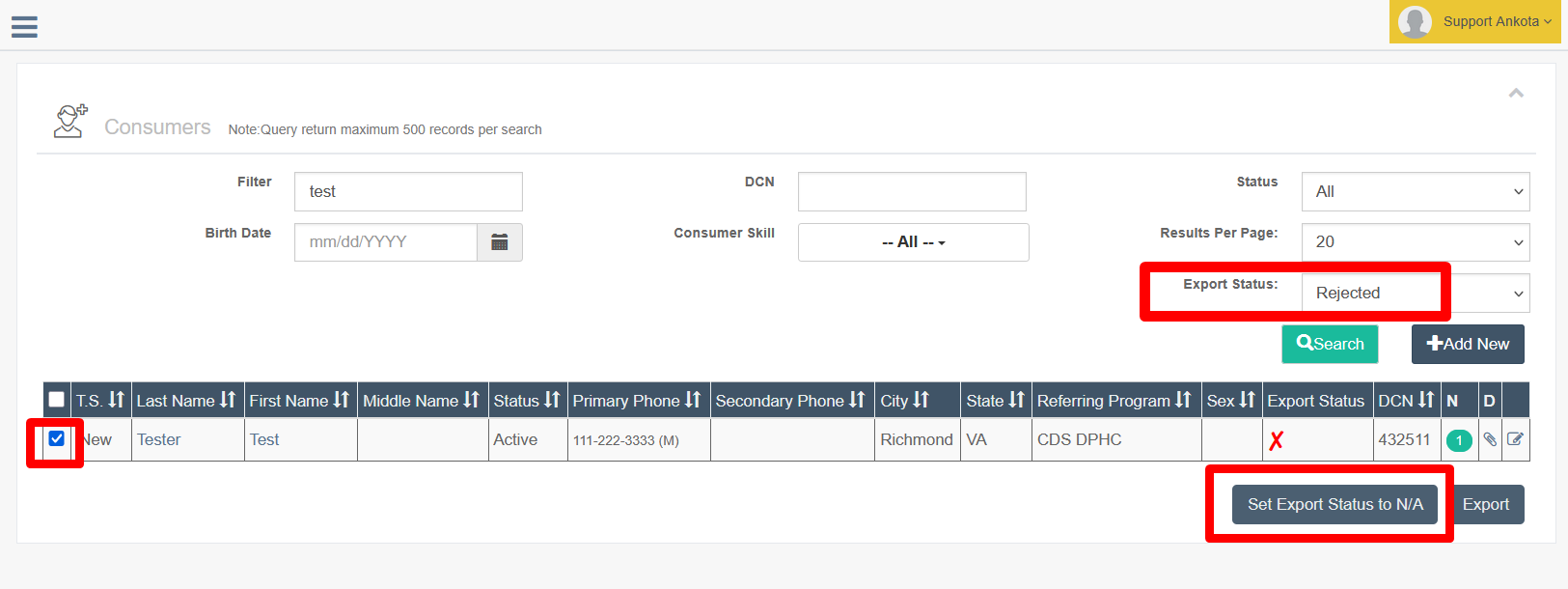
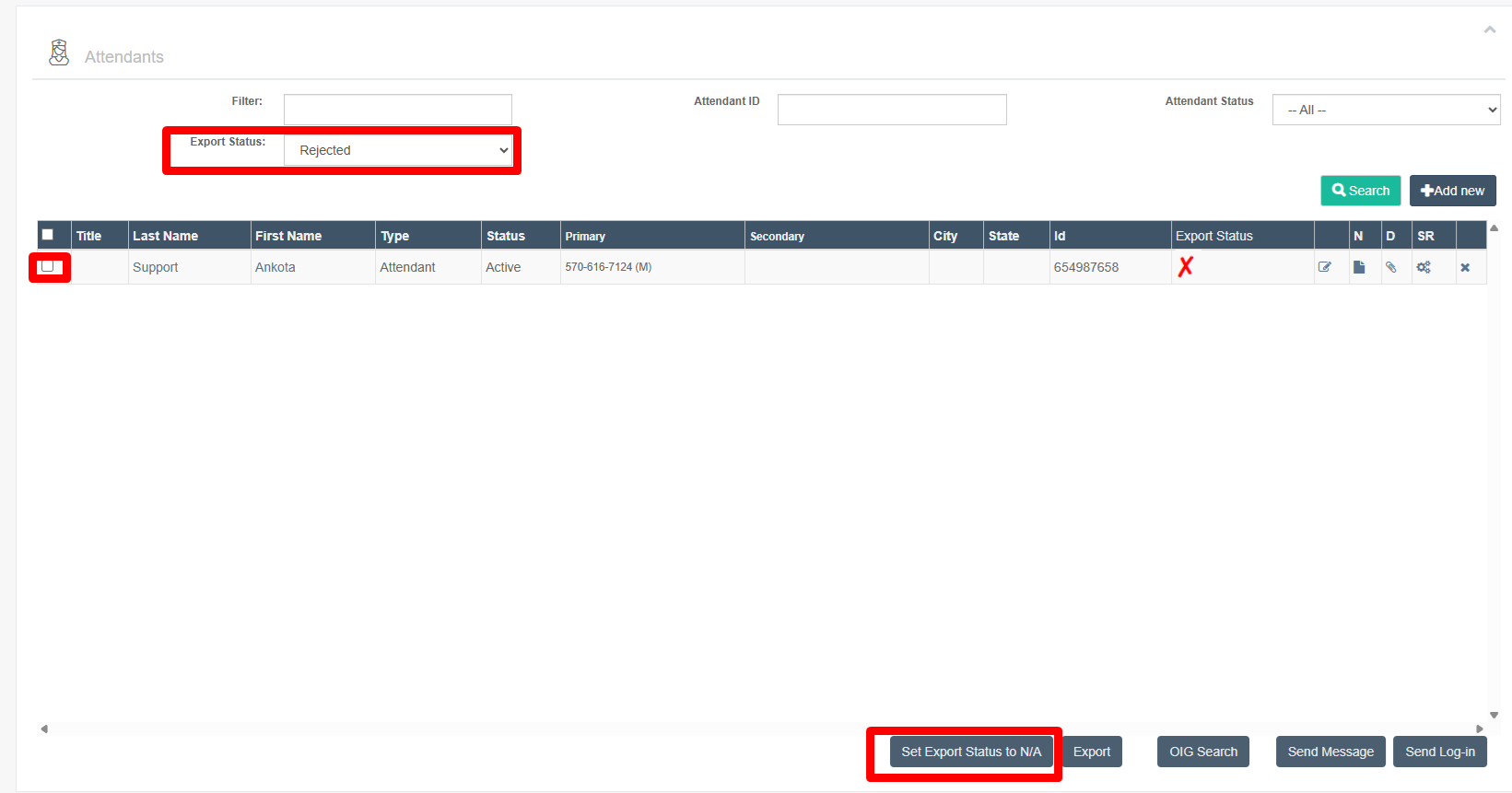
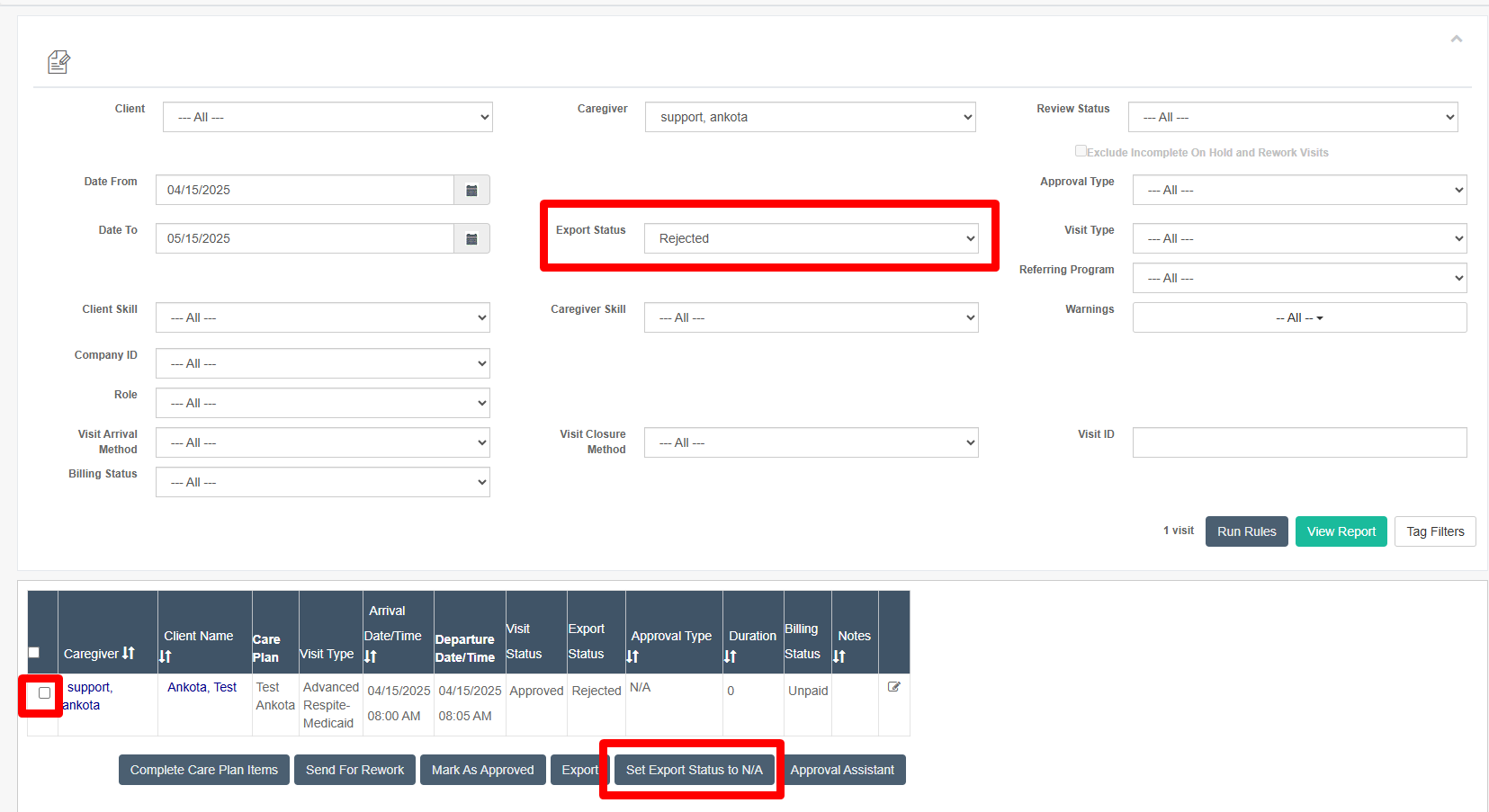
To change the exported status, simply select the desired clients, caregivers, or visits, then click the Set Export Status to N/A button. This will update their status and remove the rejection listing.
Note: As of 2026 any clients/caregivers changed to N/A will automatically make visits move to N/A.