Logging in to the Ankota System for the First Time
Overview
In order to access the cloud-based Ankota system, users will need log-in credentials. This process of initial logging in is described below.
Initial Log-in
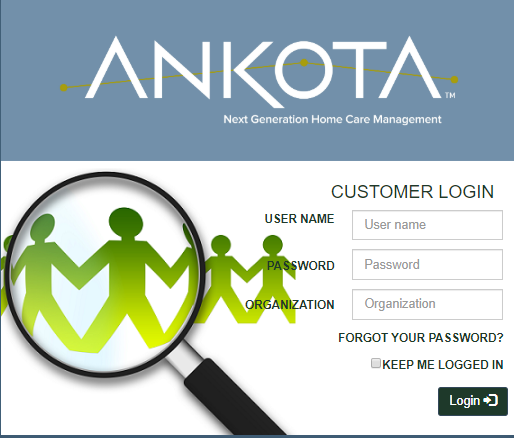
First, go to Ankota.net. Next, log in with your user name. Most organizations use emails (john.doe@example.com), but follow your organization's directive. Then enter the temporary password that you were issued. (You will need to change your password after your first log-in.) Finally, enter your organization code and click the Login button.
Change Password
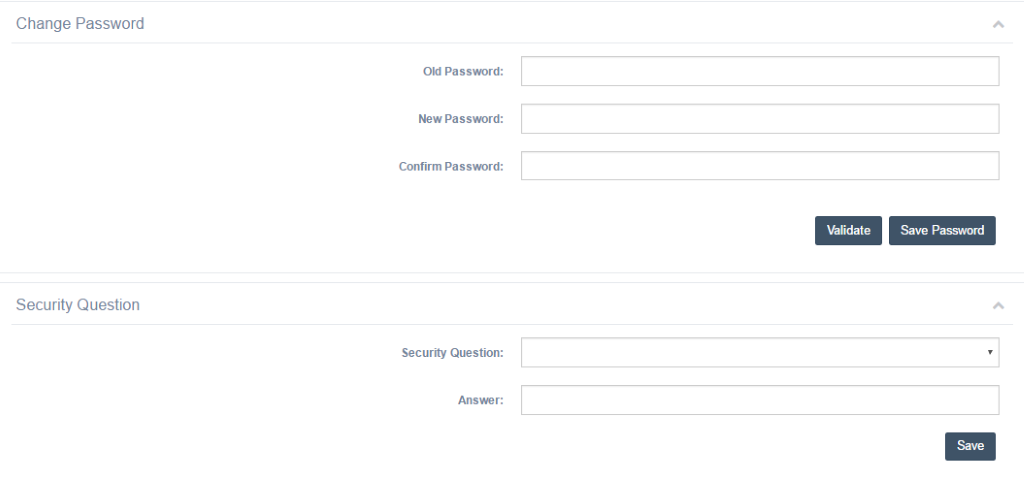
After you log in for the first time, you will be prompted to change your password.
- Enter your old password
- Enter and confirm new password
- Save the new password
- Wait for green box "success" pop-up before moving forward
After setting your password, you can also set a security question with an answer. Complete the fields and click Save.
- YOU MUST LOG OUT AND LOG BACK IN WITH NEW PASSWORD TO LOGIN.